
 If you use Outlook.com as your web based Email program, it is possible to import an IMAP Email account from another provider and use Outlook.com to send Emails from this account.
Note
After the initial import, Outlook.com does not read any further Emails from the external IMAP account, so you will have to set up a forwarding service to Outlook.com.
Please contact us if you require your Email account forwarded to Outlook.com.
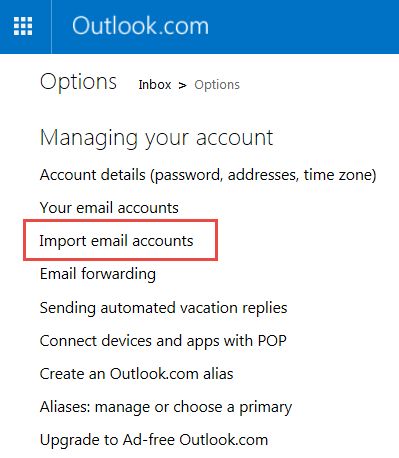
Select Import email accounts
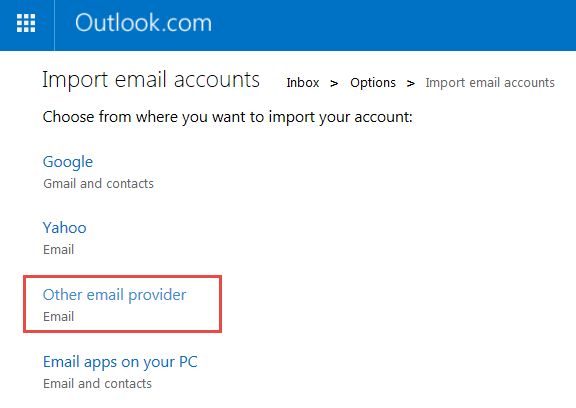
Select Other email provider
Now click on Advanced options
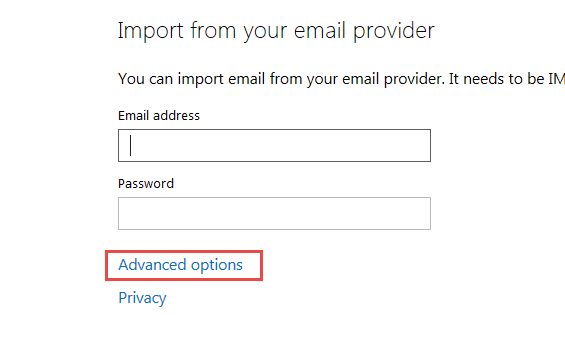
Enter the Email address which you wish to reply from. This might be yourname@yourdomain.com
and enter the login details for your Email account

Using your new account
Now when you create or reply to an Email, you are given a choice of which account to make the reply from.


